

Home screen
The home screen is where a panel spends its active time. It has two parts.
- The stage is the large room picture. It follows daylight, the weather and the lights in the room.
- The control surface holds the room’s scenes and devices. On the panel it sits beside the stage.
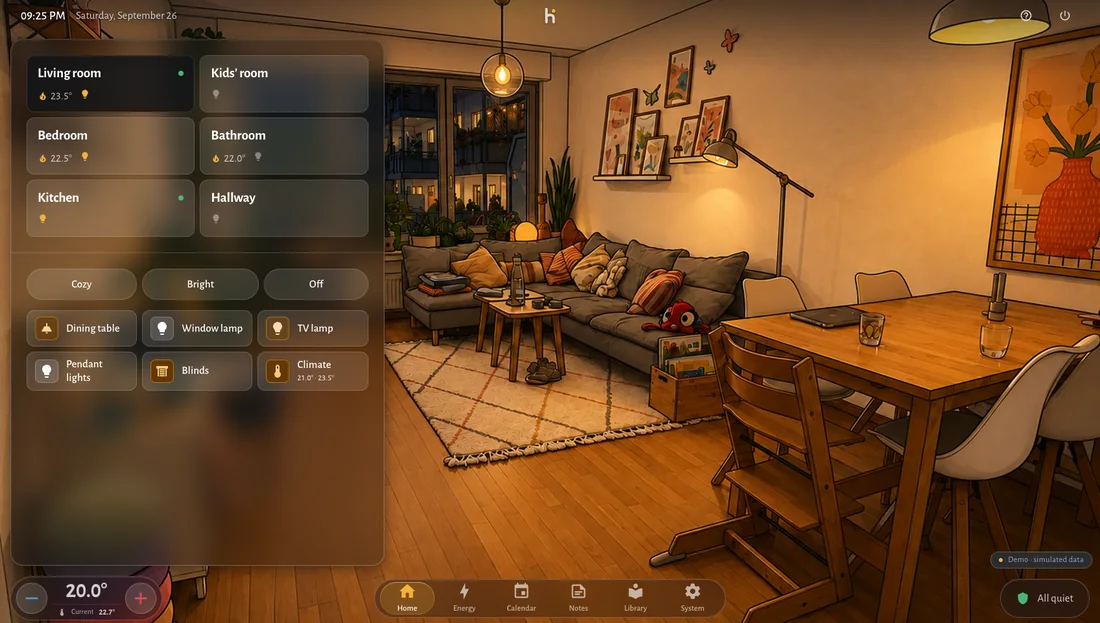
Three views
Section titled “Three views”Press and hold a free area of the stage, or swipe left on it, to open the room configuration. The view switch at the top centre chooses between:
- Full screen. One room picture, the room picker at the top of the control surface.
- All rooms. Every room as a tile with picture, name and light status. The control surface belongs to the selected room and carries its name.
- Image control. Only the room picture. The control surface stays away, and the room is used through its devices in the picture: tap a lamp where it stands to switch it, hold it for its detail. Swipe to change rooms. A double tap on an empty spot shows the zones and names for a moment. Devices get their spot in Assign devices (see room pictures).
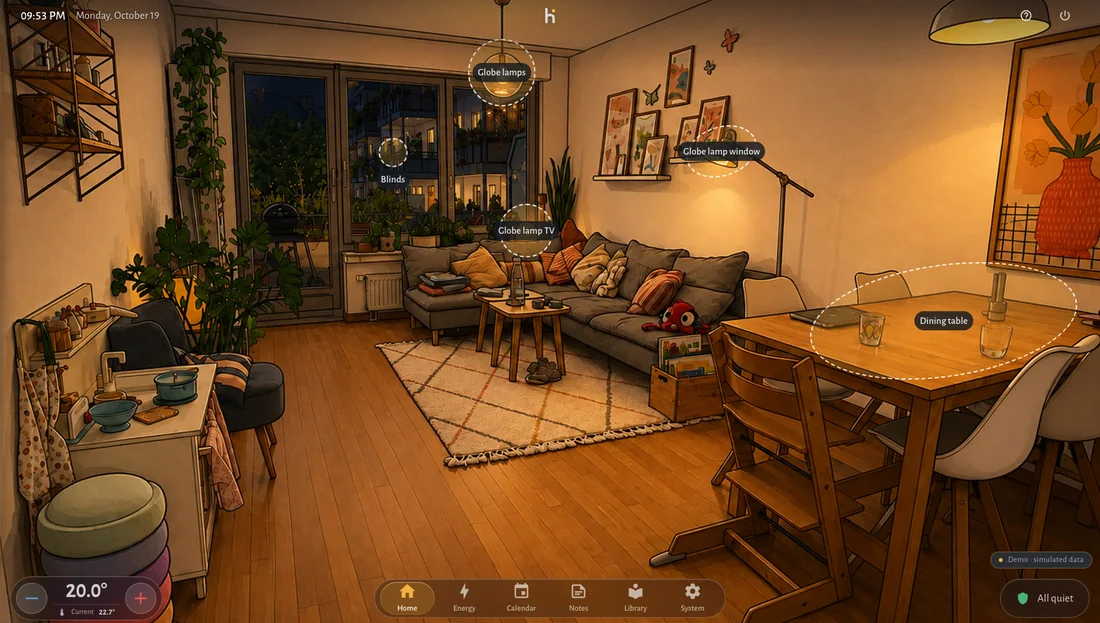
Swipe the controls away
Section titled “Swipe the controls away”Swipe left on the control surface and it flies out of the picture. The stage takes the full width. The next touch brings it back. A tap on a tile also selects that room.
To let it go by itself, set Hide control surface to Automatic in the room configuration and choose the time without touch, from 5 seconds to 2 minutes.
Room configuration
Section titled “Room configuration”The room configuration holds the layout as well. Every setting takes effect at once:
- the view, at the top centre
- the width of the control area: drag the pill next to the control surface
- rooms per page in Full screen, rooms per row and rows at once in All rooms, under the rooms
- hiding the control surface automatically, a second control surface at the bottom with a fixed room of its own, and Reset to default, in the side column
Title bar
Section titled “Title bar”The title bar carries the connection state, the edit or use mode mark in the middle, the appearance button, the central climate pill, a question mark and the standby button. The question mark opens a short sheet to report a problem or make a suggestion.
Idea behind it
Section titled “Idea behind it”The room should stay visible. Controls stay narrow, and when you want the picture alone, you swipe them away.