

What is Hauser?
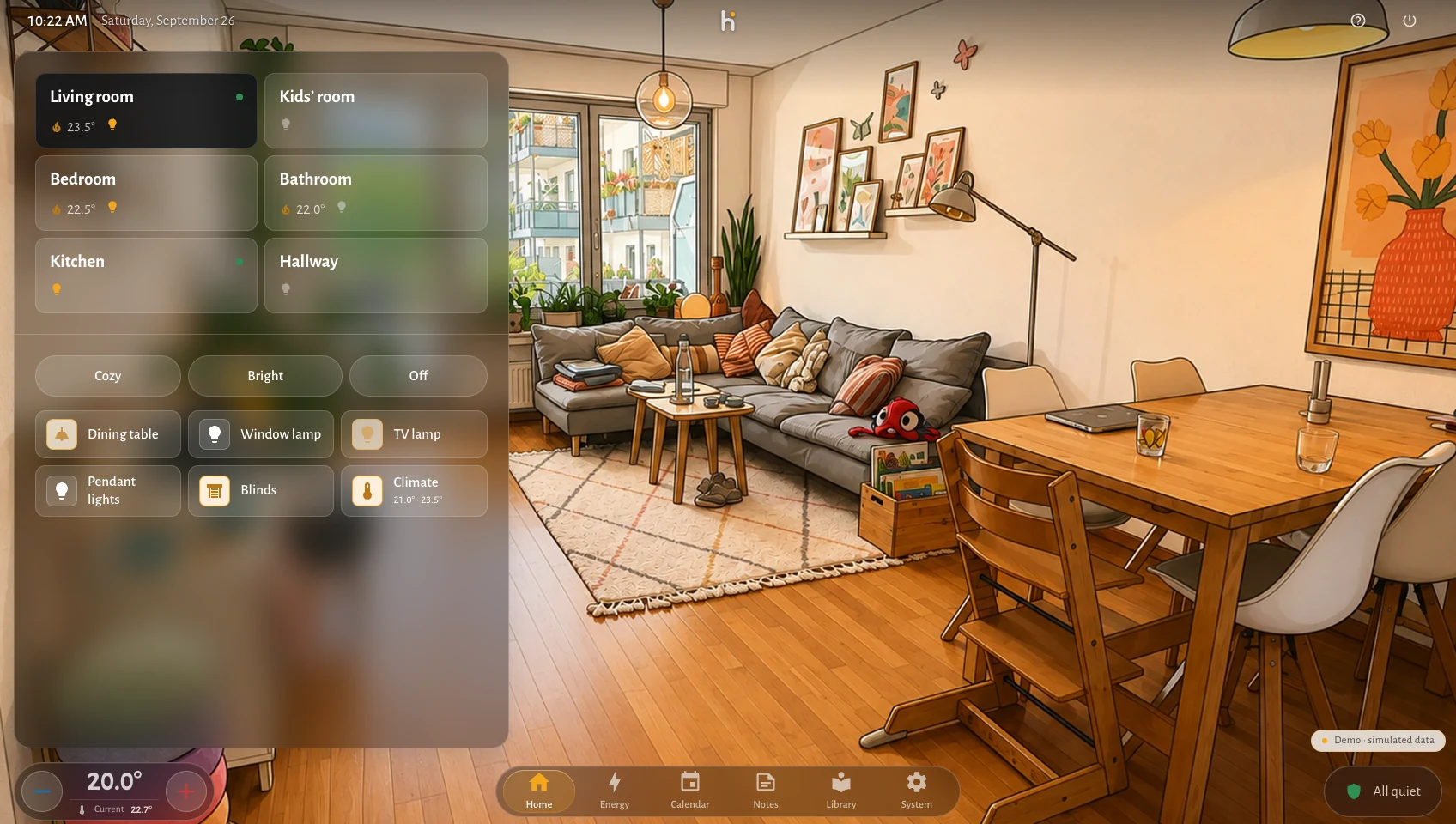
Hauser is an everyday interface for your smart home. You choose a room, see its picture and use the lights, scenes or heating in that space. It is made for the people who live there, including those who did not set up the smart home.
The idea
Section titled “The idea”The room is the starting point. Its controls stay together and its picture changes between prepared lighting states. You can keep the bundled illustrations or add pictures of your own rooms.
A wall panel has a different job while nobody is touching it. Standby shows the clock and household information; on a phone, the room grid leads to the controls for one room at a time.
When you operate a device, Hauser shows feedback immediately, then reconciles it with the connected system. That feedback is not a guarantee that the device has already responded. A failed command is reported rather than left looking successful.
Choose your connection
Section titled “Choose your connection”| Your home | How Hauser fits |
|---|---|
| Home Assistant | Install the Hauser server as a Home Assistant App or with Docker Compose. Open it in a browser on a panel, tablet or phone; the native iOS app can pair with it too. Home Assistant keeps managing integrations and automations. |
| Apple Home | Use the native iPhone or iPad app. It reads your rooms and supported accessories directly through HomeKit. No Home Assistant or Hauser server is required. |
| Just looking | Open the web demo or use the native app’s demo household. Both use simulated devices. |
The native app and the web interface are separate implementations. Their available features depend on the connection and platform; see platforms and the iOS app guide.
Accounts, cost and data
Section titled “Accounts, cost and data”Hauser is free software with no Hauser account or subscription for everyday control. A Home Assistant installation runs on your own hardware. Apple Home uses the permissions and services of your Apple setup.
Optional features can use external services: image providers receive the photo you choose, weather and maps request public data, and Notion is a cloud service. Their access requirements and limits are separate from Hauser. See requirements before enabling them.
Start with your home
Section titled “Start with your home”Choose Apple Home on iOS or a Home Assistant installation. Hauser is in public beta; the feature index distinguishes implemented and experimental features.