

Hauser for iPhone and iPad
The native Hauser app puts your rooms and their everyday controls on iPhone and iPad. Choose Apple Home, connect to Home Assistant through your Hauser server, or open the built-in demo household.
Get the beta
Section titled “Get the beta”- Install Apple’s TestFlight app on your iPhone or iPad.
- Open the Hauser invitation, accept it and install Hauser.
- Open Hauser and choose the connection for your home.
The app requires iOS 17 or newer. It is a TestFlight beta with its own release schedule, separate from the Hauser server. TestFlight builds expire after 90 days; keep the app updated through TestFlight.
Apple Home
Section titled “Apple Home”Choose Apple Home during onboarding and allow access when iOS asks. Hauser reads your rooms and supported accessories directly through HomeKit. There is no Hauser server to install, and Home Assistant is not required.
Shopping lists and reminders use Apple Reminders in this mode. Device calendars and other native features may ask for their own permissions. Home Assistant integrations such as its energy sensors do not become available just because the app is connected to Apple Home.
Home Assistant
Section titled “Home Assistant”First install Hauser as a Home Assistant App or with Docker Compose and complete its setup. Then choose Home Assistant in the native app and pair it with that installation. Rooms, devices and the supported household data come from your Hauser server.
Pairing with a QR code
Section titled “Pairing with a QR code”- Open the Hauser web interface on your home network.
- In System, open the pairing card and display a new QR code.
- Scan it with the native app. The code is valid for five minutes; the paired device receives its own token.
If the web interface is already open on the phone you are pairing, use Open in the app on this device instead of trying to scan the same screen.
Only a hash of the device token is stored on the server. Pairing is also required for the separate remote-access path.
A room in your hand
Section titled “A room in your hand”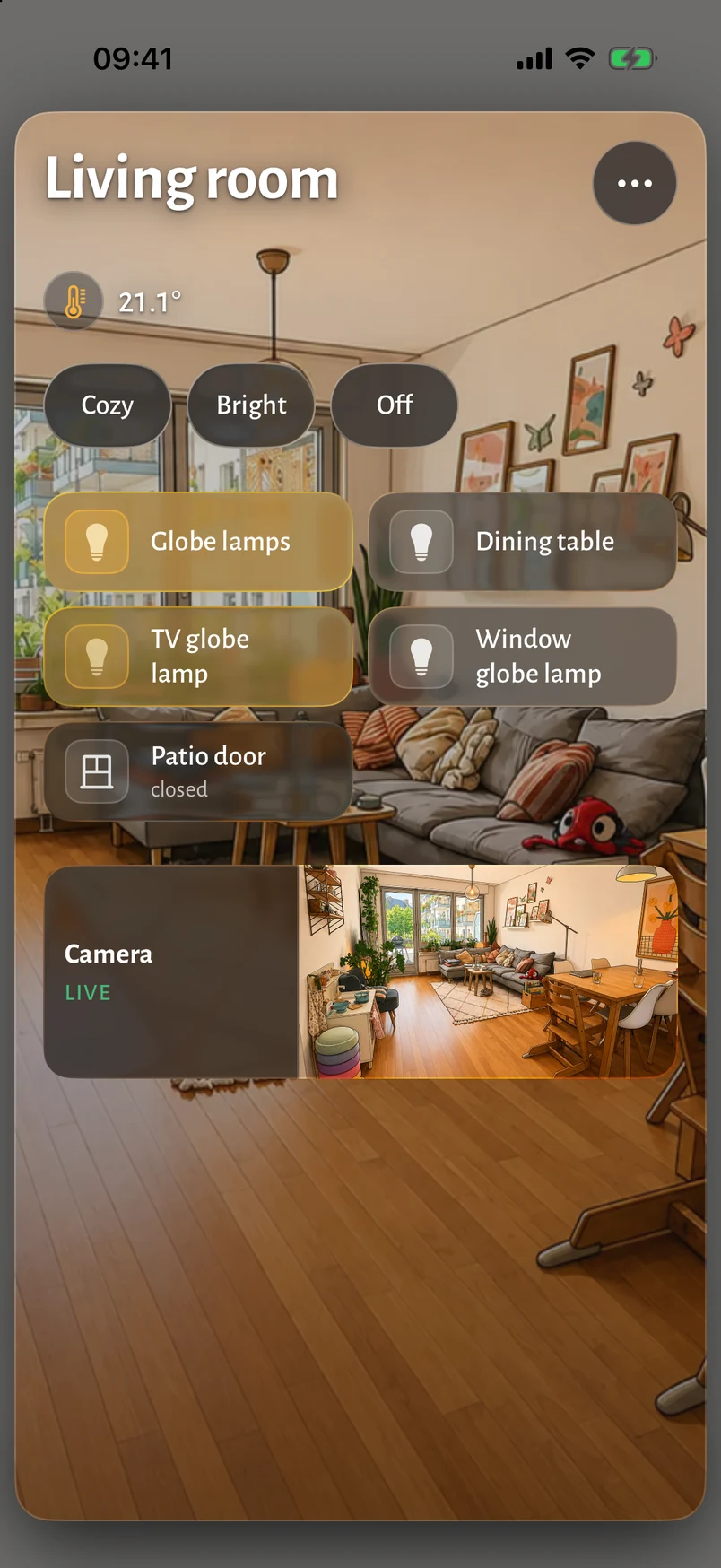
On iPhone, a grid of rooms leads to the controls for one room. On iPad, the native app uses the panel layout. It draws its own interface in SwiftUI; it is not the web page inside an app wrapper.
What differs from the web interface
Section titled “What differs from the web interface”| Area | Native app |
|---|---|
| Connection | Apple Home directly, or a paired Hauser server for Home Assistant. |
| iOS features | Widgets, Siri shortcuts, shopping-list sharing and device calendars. Availability depends on the feature and permissions. |
| Appearance | Native glass surfaces on iOS 26; the app also supports earlier iOS versions. |
| Apple Intelligence | Optional features require compatible hardware and OS support. They are not needed for everyday room control. |
| Notifications | Local hints such as open windows, laundry and due reminders are available. Home Assistant’s persistent notifications are not yet forwarded into the native app; see notifications. |
| Room pictures | Provider choices and experimental native generation are described in Room pictures. |
For the browser-based phone interface, see Phones and panels.