

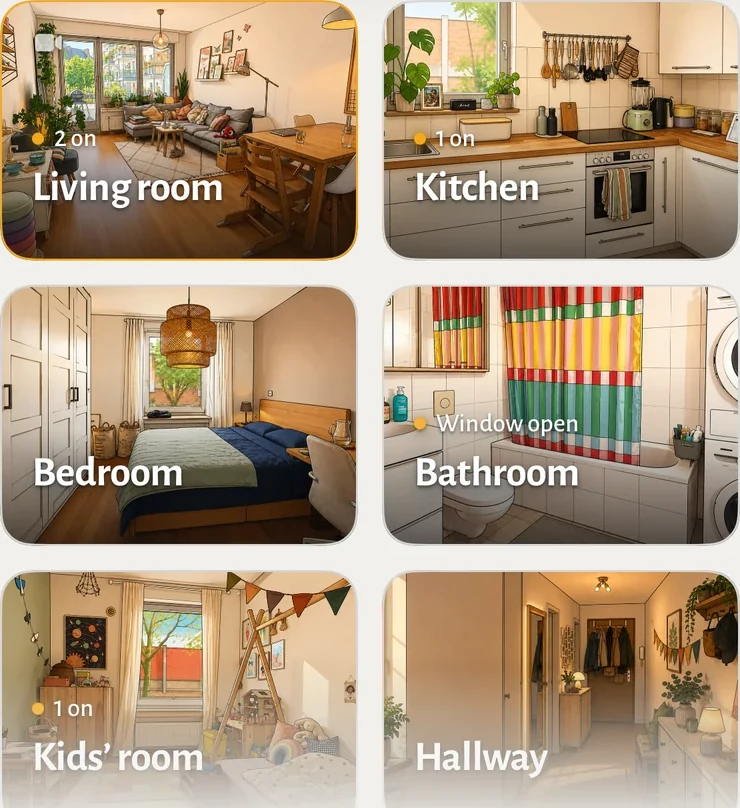
Hauser,
step by step.
Set up your home. Find your way around. Make the rooms yours. Start with the system you already use.
Start here
Section titled “Start here”Starting from zero? Set up with your AI agent. Give it that link to work through Home Assistant, Hauser, your phone and optional private remote access together, one step at a time.
iPhone & iPad
I use Apple Home.
Get the native TestFlight app. Your rooms and supported devices come directly from Apple Home; no server to install.
Set up the iOS app
Wall panel, browser & paired iOS app
I use Home Assistant.
Install Hauser as a Home Assistant App or with Docker Compose, then arrange your rooms in the guided setup.
Choose an installation
Hauser is the everyday interface for the people living in your home. New to the project? See what it does or try the web demo with simulated devices.
Make it yours
Section titled “Make it yours”Bring your rooms together
Arrange rooms, assign devices and choose what the household sees.
Use pictures of your home
Keep the defaults, upload a picture or compare the optional image providers.
Settle it onto your devices
A panel for the hallway, a phone for the sofa, and the right setup for each.
Find what you need
Section titled “Find what you need”| If you want to… | Go to… |
|---|---|
| Change a light, scene or room temperature | Devices · Scenes · Climate |
| Make the resting panel useful | Standby · Calendar · Shopping list |
| Check whether a feature fits your setup | Platforms · Feature status |
| Update safely or fix a problem | Updates and backups · Troubleshooting · FAQ |
| Configure or contribute to the code | Configuration · Developer setup |
A personal project, in public beta.
The web interface and native iOS app have different capabilities and release schedules. These guides name the relevant connection or platform; future work belongs in the roadmap.